ForLivedrive
Backup Monitor for Livedrive

Know your backups work. Keep ransomware away from them.

LiveDMon is a small agent plus an online dashboard made by Top Computers. It checks your Livedrive backups every day and emails you when something fails. It also places decoy files on each computer, so if ransomware strikes, LiveDMon can disconnect your external backup disks before they get encrypted.

Free 30-day license
No credit card required · Free 30-day license · Buy or extend anytime from your account


Choose your plan

FourFive products. Start with the ones you need – each comes with a free 30-day license.

FOR LIVEDRIVE USERS
Backup Monitor for Livedrive product box

Backup Monitor for Livedrive

Livedrive backup monitoring for each computer

  • We watch that Livedrive is running, logged in and actually backing up
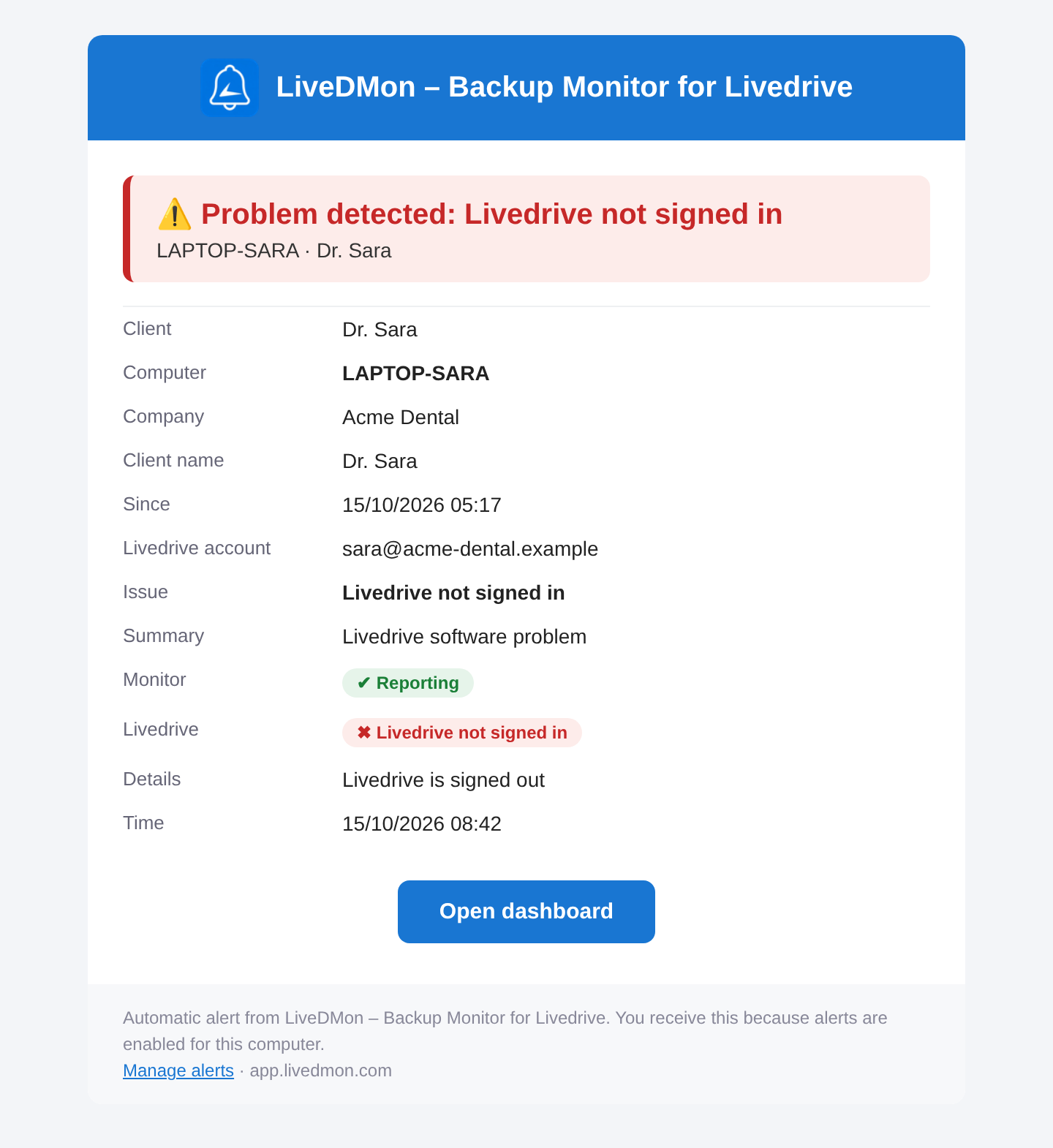
  • Instant e-mail alerts when something breaks (and when it is fixed)
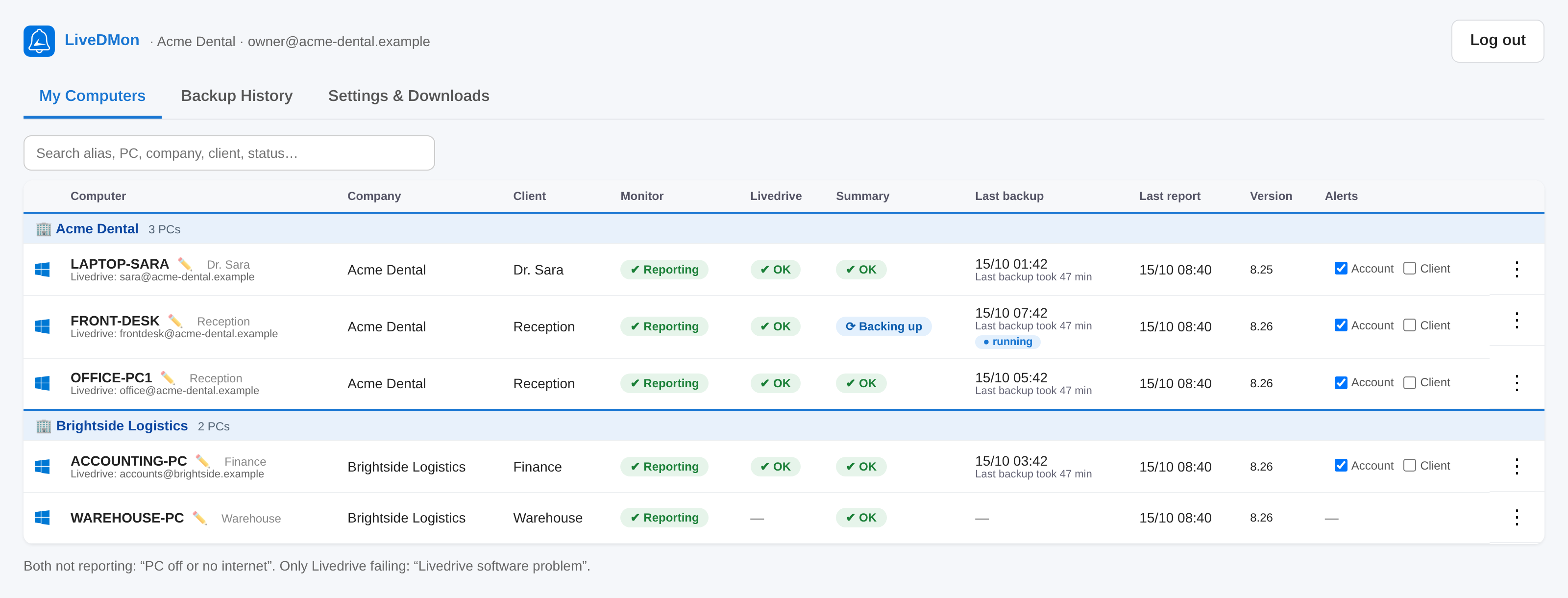
  • Daily status report and backup history
  • Automatic self-repair of common Livedrive problems
Start free trial

For anyone who uses Livedrive.

Ransomware Protection product box

Ransomware Protection

Ransomware protection for each computer – no Livedrive needed

  • Decoy-file (canary) ransomware detection
  • Automatic response: stop Livedrive / cut services / USB offline (optional)
  • Instant e-mail alerts with a forensic report on ransomware events
  • Dashboard with all computers and their agent version
Start free trial

For protecting PCs and backup disks, with or without Livedrive.

Outlook/Gmail Auto-Print product box

Outlook/Gmail Auto-Print

Automatically print or save PDF / PNG / JPG attachments arriving in Outlook (classic) or Gmail

  • Mail source: Outlook or Gmail – rules by sender, folder/label and file type
  • Print to a selected printer and/or save to a folder
  • Manage rules in the web dashboard + print/save log
  • Gmail: processed mail is moved to the label you choose; never deletes mail
Start free trial

For offices that print or file incoming attachments.

Outlook & Gmail Backup to PST product box

Outlook & Gmail Backup to PST

Back up Outlook and Gmail to regular PST archive files on your computer, on a schedule

  • Choose Outlook accounts/folders and Gmail labels to back up
  • Outlook only, Gmail only, or both
  • Schedule, destination folder and maximum file size (the PST is split into parts)
  • Status and history in the web dashboard
Start free trial

For keeping your own copy of your mail.

ScreenLock PC product box

ScreenLock PC

Lock computers automatically outside the hours you allow

  • Schedule lock / unlock hours per PC – groups or personal schedules
  • 1-minute warning before lock, with password extend
  • Temporary open with countdown + cancel; unlock password on the lock screen
  • Multi-PC dashboard for parents, offices and schools
Start free trial

$35 per PC / year · Resellers 30% off · Learn more

30-day free trial, no payment required. After purchase you get the full version. All sales are final, no refunds.

How it works

Up and running in minutes.

1

Sign up free

Create your account and start your 30-day free trial.

2

Install the agent

Download the simple installer and run it on each computer. That's all.

3

Get alerts and protection

LiveDMon emails you when a Livedrive backup fails and acts right away if ransomware touches its decoy files.

Who it's for

Built for people who look after backups.

Technicians and IT admins

Protect customer PCs and their backup disks from ransomware, and see every computer in one dashboard.

Livedrive resellers

See all your customers' computers and Livedrive accounts in one place. You'll hear about a failed backup before your customer does.

Home users with Livedrive

Know your backup is really running, and keep your computer and external disks safe from ransomware. Install it once and you're set.

See it in action

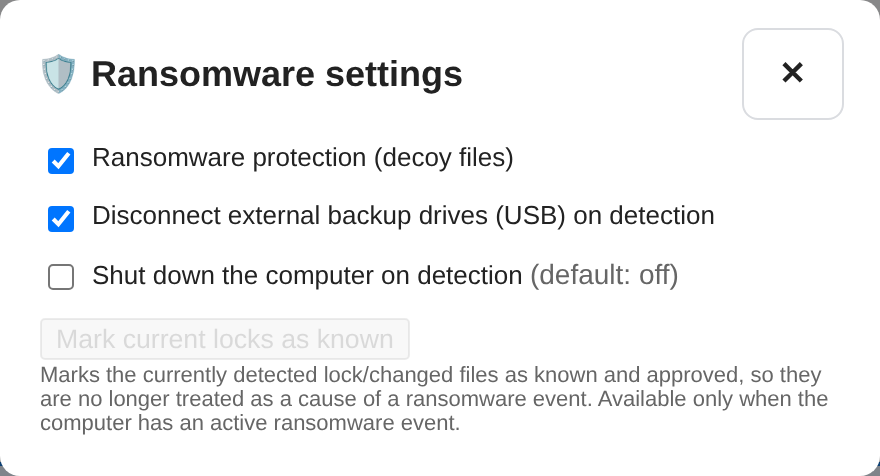
The dashboard, the alerts and the protection, with demo data.

🎁
Free 30-day licenseNo credit card required · one trial per account
🧩
Four products, one agentPick the licenses each computer needs
📅
Buy or extend anytimeFrom your account
💻
Made by Top ComputersThe team behind LiveDMon

Microsoft Store version: coming soon.

Frequently asked questions


Which product do I need?

If you use Livedrive and want to know your backups are working, choose Backup Monitor for Livedrive. For ransomware protection of PCs and backup disks, choose Ransomware Protection – it works without Livedrive. To print or save incoming mail attachments automatically, choose Outlook/Gmail Auto-Print; to keep PST backups of Outlook and Gmail, choose Outlook & Gmail Backup to PST; to lock computers outside allowed hours (kids, offices, schools), choose ScreenLock PC. A computer can hold any combination.

How does LiveDMon detect ransomware?

It places decoy (canary) files on the computer. When something touches them, LiveDMon acts based on your settings. It can email you, disconnect USB/external disks, stop services, and shut the computer down once.

How does the free trial work?

Each account gets a 30-day free trial, no payment required. After purchase you get the full version. All sales are final, no refunds.

Can I turn off Livedrive monitoring on some computers?

Yes. You can switch Livedrive monitoring on or off per computer. Computers without Livedrive still get ransomware protection.

Find out today if your backups are really working.

Free 30-day license