Every computer, one clear view
See each computer, its Livedrive account, agent version and the status of the last backup at a glance. Group by company or client, search, and choose who gets alerts. The page refreshes by itself.
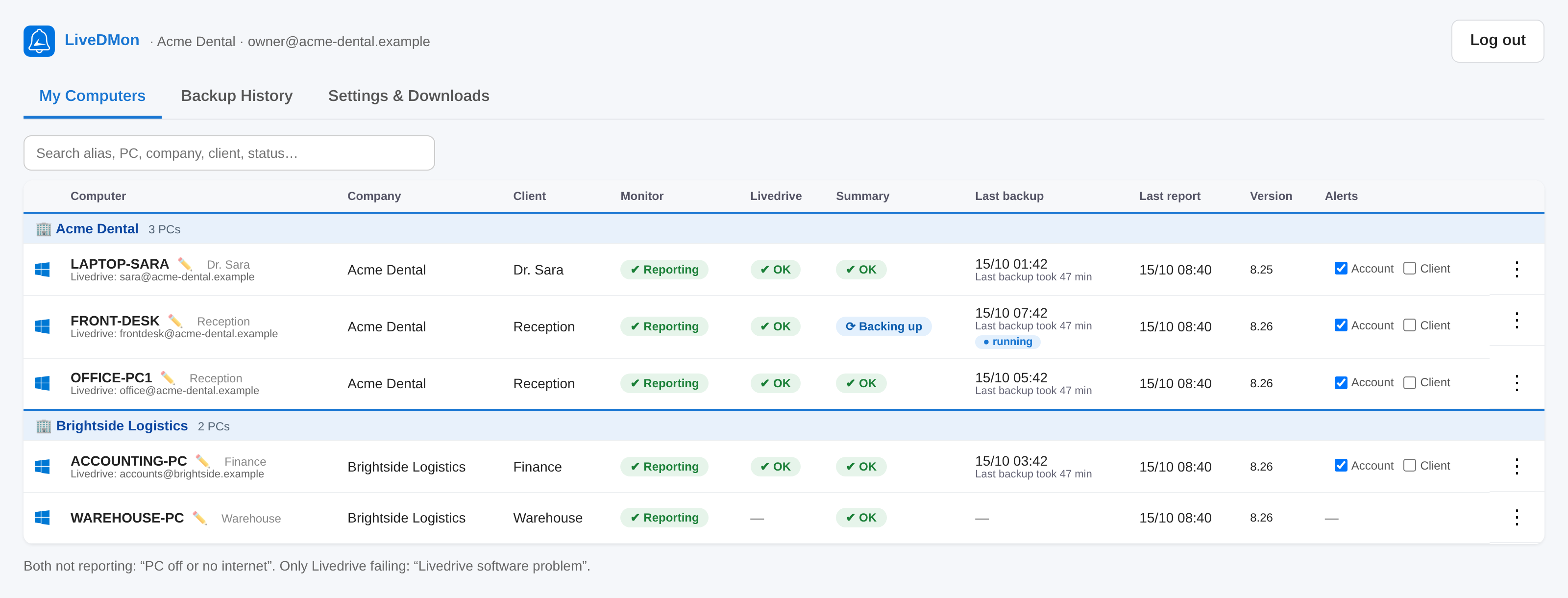
Know the moment a backup stops
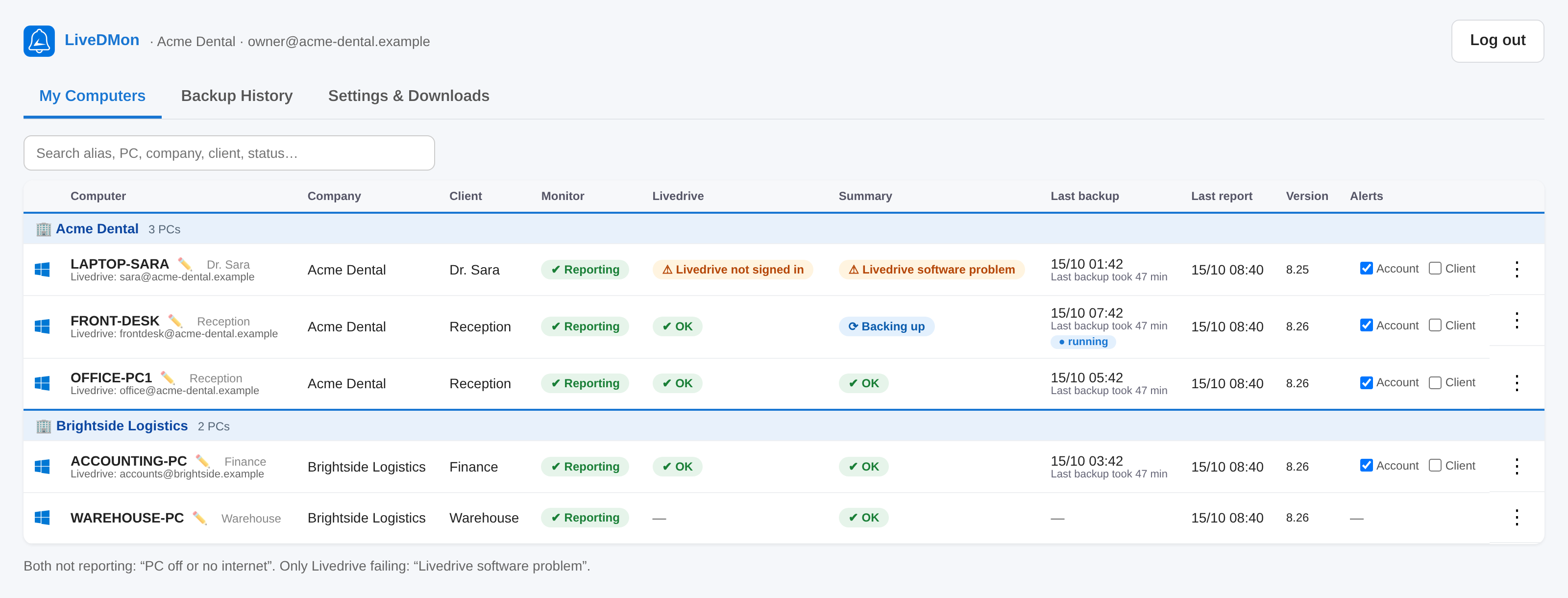
If Livedrive is signed out, stuck or not running, the computer turns amber or red here. Open the fault log to see when it started and how long it lasted.
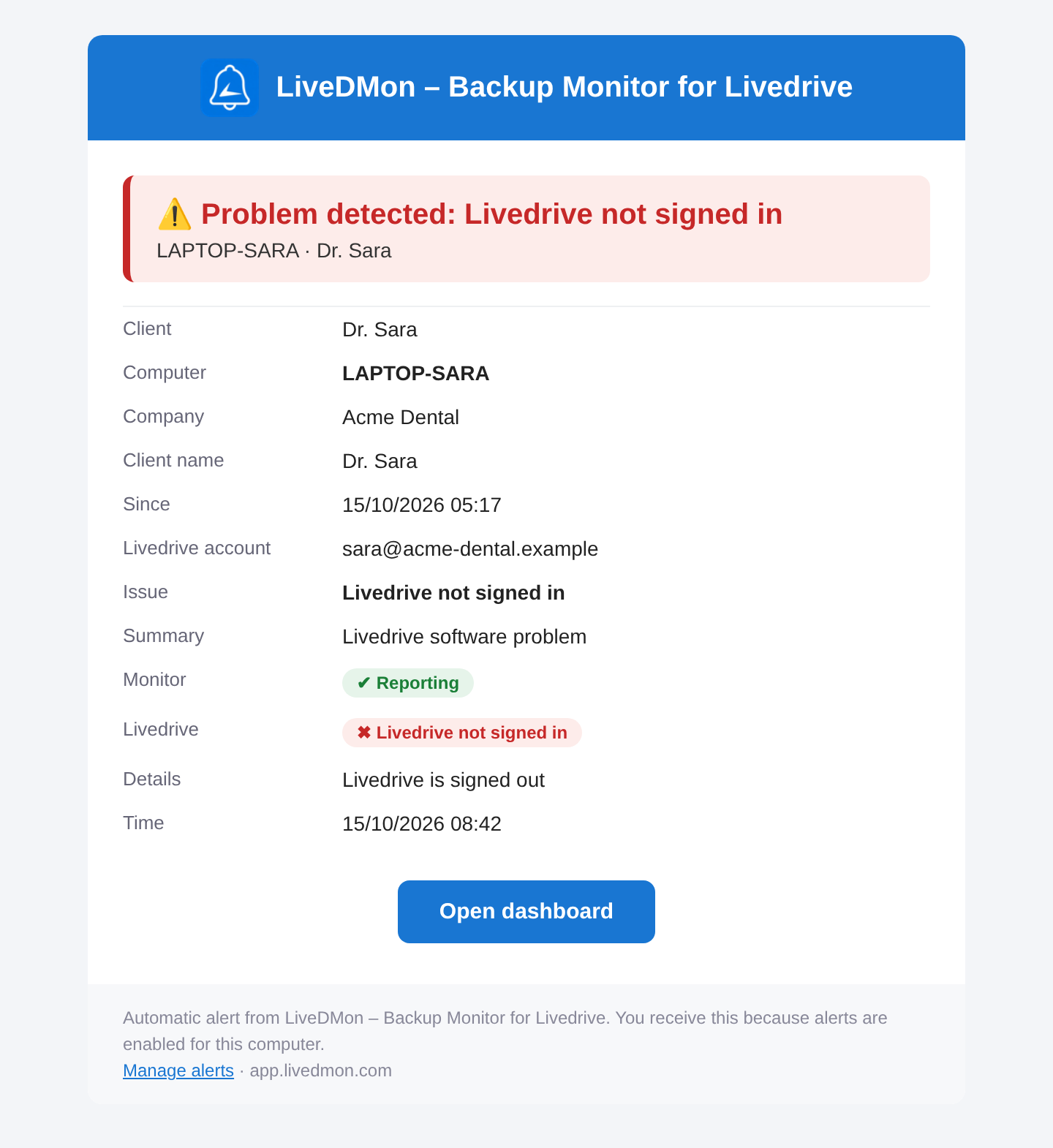
An email the moment something fails
A short, clear email names the computer, the client and the problem, and shows since when. Send it to you, to your client, or both.
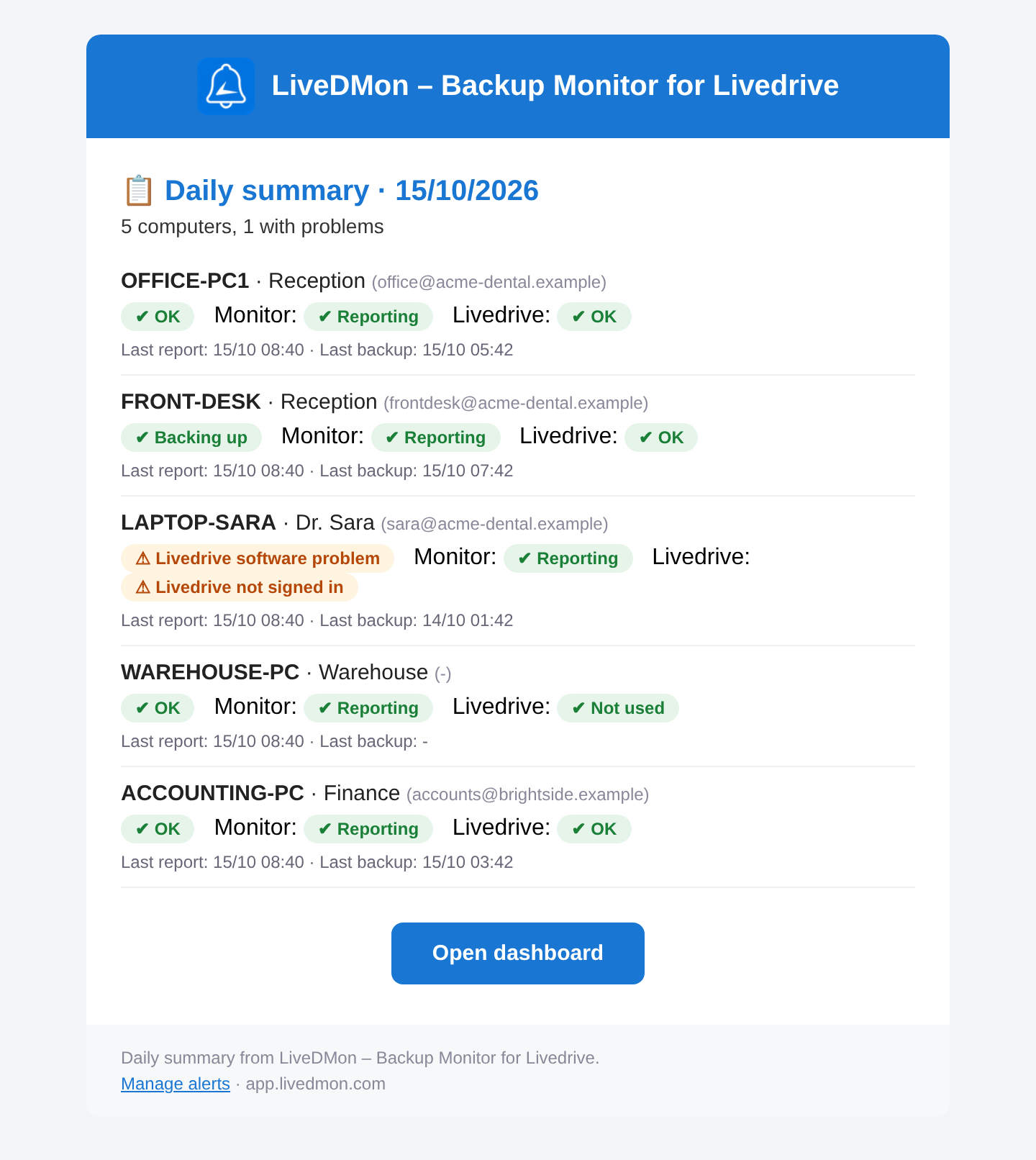
One morning email for all your computers
Every day you get a summary of every computer and its backup status, so a problem never goes unnoticed.
Decoy files, and a response you control
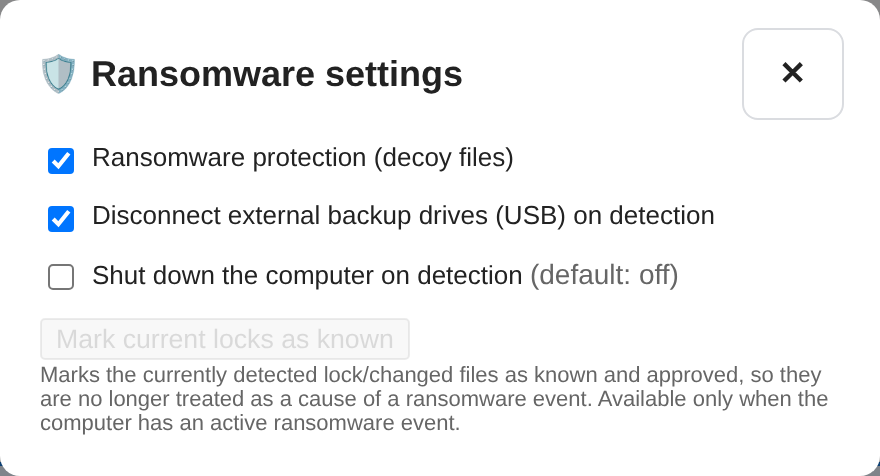
Turn protection on per computer. When a decoy file is touched, LiveDMon can disconnect external backup disks, stop services and, if you choose, shut the computer down once.
Stay current, on your schedule
The small tray app lets you update now or schedule updates for a time that suits you. Admins can also choose automatic or manual updates per computer.
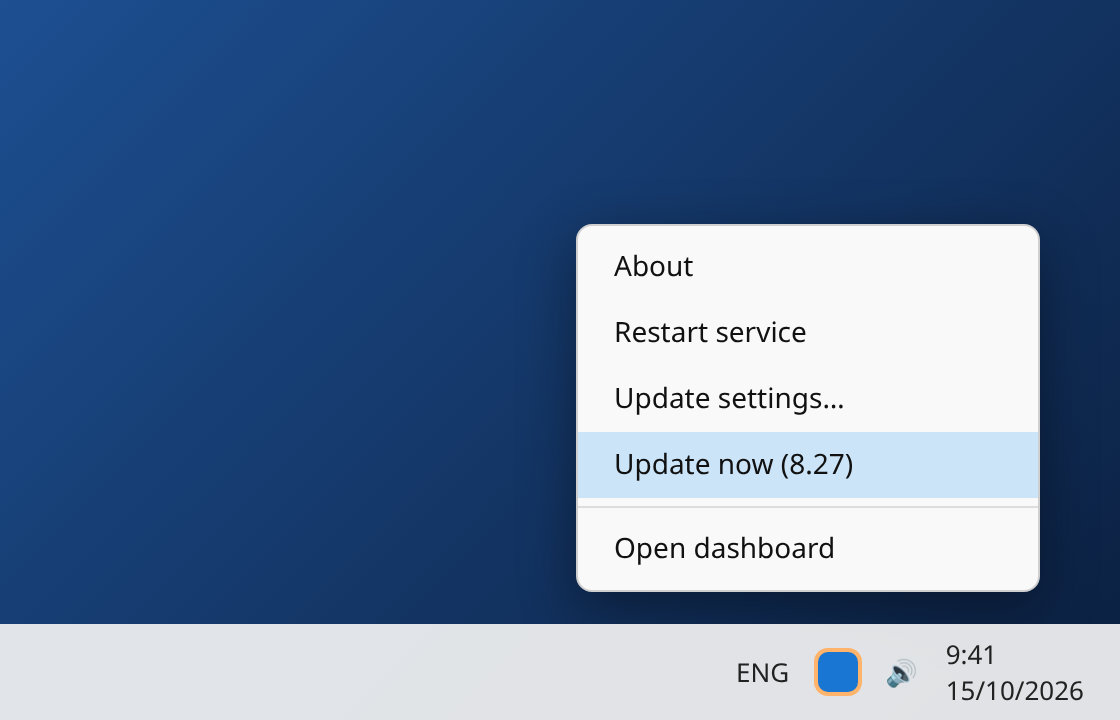
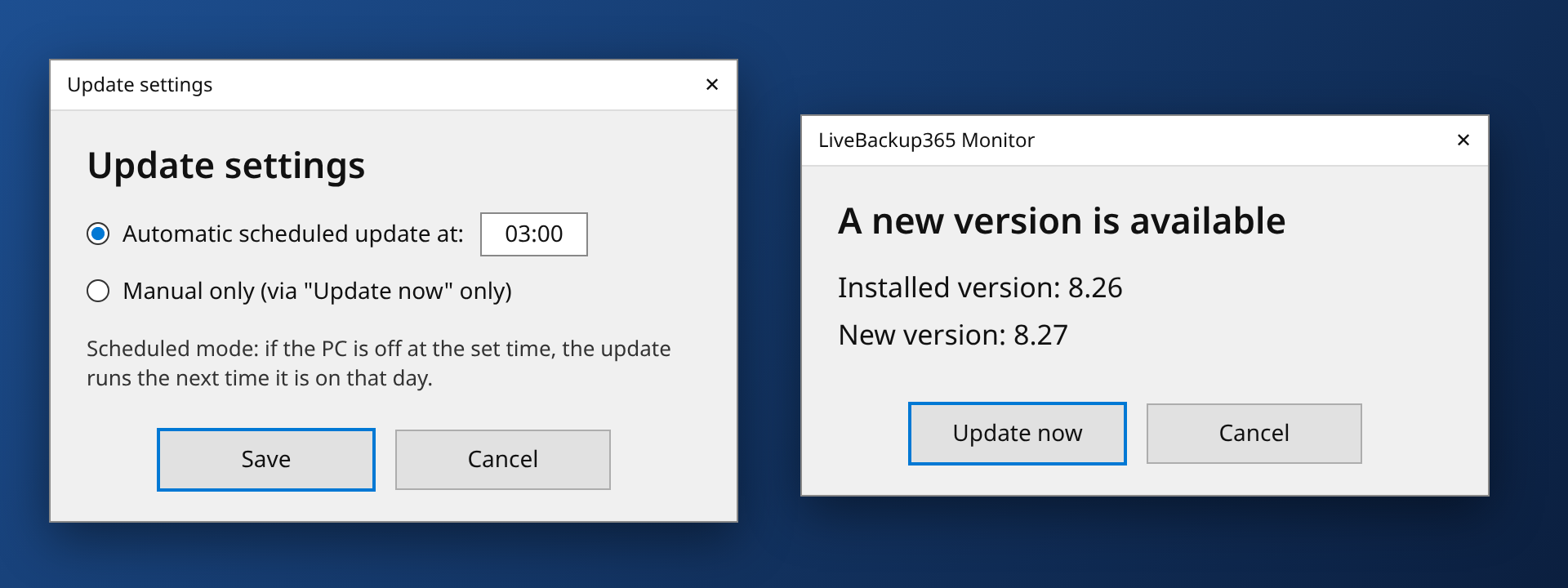
Screenshots show demo data (sample computers and addresses). The tray-app view is an illustration that uses the app's actual menu and dialog labels.